Marketing leaders cannot afford a mediocre website in 2026. Buyers expect intuitive journeys, instantaneous load times, and content tailored to their needs. WordPress has evolved into a flexible, enterprise-grade platform that can deliver all three when architected correctly. The path to better outcomes starts with a disciplined plan and advanced execution. This article outlines how to enhance user experience this year using modern patterns, data, and governance supported by high-caliber WordPress development services. For organizations that compete in complex B2B and B2G markets, the stakes are even higher, and the payoff is faster, with stronger pipeline growth, higher public-sector engagement, and measurable ROI.
What does exceptional WordPress UX look like in 2026?
Exceptional UX is not a single feature. It is the coordinated outcome of architecture, content, design systems, performance engineering, and analytics. For B2B and B2G, that experience should deliver four capabilities on day one. First, speed that exceeds Core Web Vitals across devices and networks. Second, accessibility that meets WCAG 2.2 and Section 508 standards. Third, relevance through clear information architecture, smart search, and contextual personalization. Fourth, trust reinforced by secure engineering, transparent privacy practices, and clear governance. The right WordPress development services bring these pieces together in a way that business stakeholders can manage and scale.
When to choose headless, hybrid, or classic architecture
Architecture drives user experience more than any single plugin. Classic WordPress with modern block patterns remains the right answer for many marketing teams that need speed to market and streamlined authoring. A hybrid approach works when you need to keep the WordPress CMS but deliver select experiences with headless frameworks for dynamic catalogs, dashboards, or high-traffic landing pages. Fully headless shines for complex front ends, micro front ends, or multichannel delivery to kiosks and native apps. The best WordPress development services weigh traffic profiles, content complexity, editorial maturity, security posture, and budget, then recommend the lightest architecture that achieves performance and maintainability.
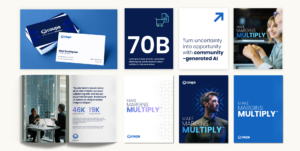
Discover how we brought Coupa’s vision to life
How the block editor powers consistency and scale
Gutenberg blocks and Full Site Editing support modular UX at enterprise scale. A robust block library translates your design system into reusable components with built-in accessibility, analytics events, and guardrails for content authors. Editors can assemble pages quickly without breaking layout or diluting brand standards. Advanced pattern locking prevents rogue formatting while enabling agility for campaigns. Investing in a block-driven design system is one of the highest ROI moves available through modern WordPress development services because it improves time to publish, reduces QA cycles, and protects user experience across the site.
Personalization that respects privacy and drives conversion
In 2026, personalization should be consent-aware, first-party data led, and fast. Segment by firmographics, user role, or referrer intent, then use lightweight decisioning at the edge to swap hero messages, resources, or CTAs. Server-side rendering keeps pages indexable and fast, while contextual blocks keep authoring simple. For B2G audiences, tailor content by mission area, procurement path, or compliance needs. For enterprise tech buyers, surface industry case studies and relevant integration guides. To go deeper on dynamic content, explore website personalization models that can be layered into your publishing workflow without adding fragility to the stack.
Accessibility and compliance as non-negotiable UX pillars
Accessibility increases reach, reduces legal risk, and improves usability for every visitor. Bake WCAG 2.2 AA standards into your components rather than auditing after launch. That means clear focus states, sufficient color contrast, structured headings, ARIA support only where appropriate, descriptive links, and consistent keyboard navigation. For B2G programs, align Section 508 requirements and create a Voluntary Product Accessibility Template that maps how the site meets criteria. Enterprise-grade WordPress development services include automated testing in CI, manual assistive technology testing, and governance checklists so accessibility remains a continuous practice, not a one-time task.
Performance engineering for Core Web Vitals
Speed is table stakes for user satisfaction and SEO. Start with a performance budget that sets strict weight targets per page type. Optimize the critical rendering path with server-side rendering, HTTP/3, and early hints. Adopt AVIF and WebP images with adaptive sizing, native lazy loading, and next-gen responsive attributes. Defer noncritical scripts, tree-shake unused code, and inline critical CSS. Use a CDN with edge caching and stale-while-revalidate strategies for resilience during traffic spikes. Measure with RUM data rather than synthetic tests alone. A mature approach from experienced WordPress development services correlates these improvements to engagement and conversion, not just Lighthouse scores.
Search that accelerates discovery
When prospects arrive with a specific problem, on-site search must deliver precise, ranked answers. Configure synonyms, business-rules boosting for product or solution pages, and scoping filters that match buyer language. Implement query understanding, typo tolerance, and guards against empty results. Expose search analytics to marketing and product teams so they can see what users cannot find and respond with new content or taxonomy tweaks. For enterprise catalogs and documentation, consider a headless search service with instant results and structured snippets. The most effective WordPress development services design search as a product with ongoing tuning, not a one-time widget.
Security and reliability that protect brand equity
Trust is an essential part of user experience. Harden WordPress with principle of least privilege, SSO for administrators, and scoped API keys. Enforce MFA, set strong content approval workflows, and log activity with anomaly alerts. Use a Web Application Firewall and rate limiting, and separate build, staging, and production environments. Automate backups and perform restore drills quarterly. For public-sector work, align to organizational policies and hosting controls that support compliance. Mature WordPress development services integrate these controls without slowing editors, which ultimately leads to a site that is both safer and more productive to operate.

Go behind our build for SecurityScorecard
Localization and multilingual experiences at scale
Global B2B brands and federal contractors need precise localization. Build a language architecture that supports shared components and localized content while preserving SEO via hreflang and localized sitemaps. Define translation workflows with glossaries, tone guides, and change tracking to maintain consistency. Prioritize market-specific content instead of 1:1 translation for every page. Ensure forms, PDFs, and error messages are all localized. Performance should remain stable despite added languages, which is why efficient media handling and caching strategies matter. WordPress development services that understand enterprise localization can reduce overhead and accelerate regional launches.
Data, analytics, and the feedback loop
Your analytics model should mirror your funnel and your navigation, not the other way around. Define clear events for micro conversions like resource downloads, email signups, search refinements, and product video views. Map content groupings to buyer stages and track scroll depth, dwell time, and click paths that predict conversion. Pipe events into your warehouse or CDP for audience building and nurturing. Maintain privacy-first consent management that toggles nonessential tags and keeps your audit trail clean. The most valuable output of advanced WordPress development services is a site that teaches you what to build next, every week.
SEO fundamentals that compound growth
UX and SEO are partners. Fast pages, structured content, strong internal links, and clear headings deliver a better experience and higher rankings. Use schema for products, FAQs, events, and reviews to earn richer results. Align pillar pages with solution areas, then cluster related articles and case studies. Control cannibalization with canonical tags and prune content that no longer serves intent. Redirect maps are essential during redesigns to preserve equity. If you need help modernizing your roadmap, our search engine optimization work demonstrates how technical and content improvements compound performance over time.
Migrations that protect traffic and improve UX
Replatforming is an opportunity to simplify, not simply to move. Start with a content audit to identify what to keep, consolidate, or retire. Rewrite information architecture based on real query data and stakeholder goals. Build migration scripts that normalize metadata, image alt text, and redirects. Validate at scale with automated link checking and manual QA on high-value flows like pricing, partner portals, and RFQ submissions. The best WordPress development services treat migration as an integrated product, not a bolt-on task, ensuring that launch day maintains search visibility while unlocking the new experience.
Governance, training, and design systems that last
UX fails when governance fails. Codify roles, editorial standards, and review workflows. Document what a good page looks like, with required components, quality bars, and accessibility checks. Tie the design system to a block library so teams work from one source of truth. Run enablement labs for marketers that simulate real publishing scenarios and reinforce good patterns. Governance also includes deprecation plans for content and components so the site gets leaner, not heavier, as it ages. Sustainable impact from WordPress development services depends on these human systems as much as the code.
Evaluating a partner for WordPress development services
Choosing the right partner is pivotal. Look for a track record delivering measurable outcomes in B2B and B2G, not just aesthetic redesigns. Ask for architecture rationales rather than tool lists. Review how they operationalize accessibility, Core Web Vitals, and security hardening within sprints. Inspect their block libraries and documentation quality. Confirm how they approach analytics, tagging, and experimentation from day one. Seek transparent roadmaps and change management plans. A seasoned WordPress development agency should align to your operating model and build your team’s capacity to sustain the site long after launch.
A 100‑day roadmap to elevate user experience
A disciplined 100‑day plan creates momentum and reduces risk. Days 1 to 30 focus on discovery and strategy: stakeholder interviews, analytics review, content inventory, technical audit, and an initial information architecture. Days 31 to 60 move into design systems and proofs of concept: component definitions, accessibility patterns, performance budgets, and search configuration. Days 61 to 90 shift to build and migration: block library development, page templates, integrations, and automated migration scripts. The final 10 days are for hardening and enablement: security reviews, load testing, accessibility manual testing, editor training, and go-live rehearsal. This is the cadence elite WordPress development services use to ship quality at speed.
Integrations that streamline buyer journeys
UX extends beyond pages. Map and integrate the systems that shape conversion. Connect CRM forms with progressive profiling, synchronize gated content with marketing automation, and trigger nurture flows based on on-site behavior. For customer portals, use SSO to reduce friction and tailor content for authenticated users. Align product feeds, partner directories, and event listings with structured data and caching. The most reliable WordPress development services do not treat integrations as afterthoughts. They model the data, design for failure states, and ensure the journey remains smooth even when an upstream system lags.

Read why LMI turned to Bluetext for a brand refresh
Content operations that keep sites fresh
Even the best UX decays without a healthy content engine. Establish an editorial calendar tied to audience needs, lifecycle stages, and key sales motions. Define reusable content types like solution briefs, implementation guides, and mission narratives for public-sector visitors. Automate related content modules and keep them tuned through analytics. Invest in clear, jargon-free copy and visual narratives that make complex topics digestible. Modern WordPress development services emphasize content operations because fresh, well-structured material is the fastest way to sustain rankings and conversions.
Proving value with metrics that matter
Executives need proof, not promises. Track a balanced scorecard that ties the experience to business outcomes. Leading indicators include Core Web Vitals, SERP visibility, on-site search success rate, and form completion rates. Lagging indicators include sourced pipeline, influenced revenue, and public-sector RFI engagement. Use cohort analysis to see how performance improvements correlate with conversion over time. A credible program for WordPress development services establishes these measures before the first line of code, then reports progress against them at each milestone.
Why Bluetext for enterprise-grade WordPress
Marketing and communications leaders choose partners who reduce complexity and deliver results. Bluetext brings strategy, design, and engineering together under one roof, with a focus on measurable outcomes in complex B2B and government markets. Our teams architect for speed, accessibility, security, and scale, then enable your editors to move faster with confidence. Learn more about our approach to WordPress development services and how we tailor each engagement to your governance model and growth objectives.
What success looks like
When organizations adopt the practices in this guide, the results are consistent. Bounce rates drop as pages load faster and navigation becomes clearer. Organic traffic rises as technical SEO aligns with authoritative content. Qualified conversions increase as personalization and frictionless forms meet buyers where they are. Public-sector engagement improves when accessibility and compliance are built in. Most importantly, marketing teams gain agility with a component system and analytics model that turn insights into action without long development cycles. These are the outcomes you should expect from advanced WordPress development services in 2026.
Next steps to move from vision to execution
If you are planning a replatform, consider a phased approach that addresses performance, accessibility, and architecture early. If your site is already on WordPress, start with a diagnostics sprint that benchmarks Core Web Vitals, accessibility, search, governance, and analytics. Use those findings to prioritize the highest-impact fixes and to roadmap future enhancements. Evaluate partners through pilot projects that prove value before full-scale commitments. The right investment in WordPress development services will reduce total cost of ownership, accelerate time to market, and elevate the user experience that drives growth.
Bluetext is ready to help you plan, build, and optimize a website that works as hard as your brand. Explore our capabilities as a WordPress development agency, see how personalization models can scale with your team, and bring your analytics to a level that informs every decision. To start a conversation about strategy, branding, or campaigns that connect, contact Bluetext and let’s design an experience your buyers will remember.
Recent Posts
Bluetext’s Recent Work