Sound as a Brand, Voice as a Channel
We know sound plays a pivotal role in brand marketing. Sound helps your brand tell a story and feel like something real and memorable. But the power of Sound exceeds bolstering brand identity; it also introduces a world of more inclusive opportunities and easier ways for users to communicate, search, consume, and transact via Voice as a channel.
Voice marketing has been booming the past couple of years and for good reason. What exactly is voice marketing? It’s a channel of marketing that utilizes voice technology to reach customers. Think the Alexas, Siris, and Google Assistant’s of the world that seem to have taken over our homes, cars, office settings, and more.
Voice enables increased information accessibility, and effective task automation, and populates quick results in a hands-free, interactive way. Voice is intuitive, fast, more efficient, and easier for our brains to process compared to reading/typing text. NPR and Edison Research state 57% of “voice command users used voice commands daily in 2022.” From Siri to Google Assistant, to Alexa – AI (Artificial Intelligence) and voice search has been infiltrating our lives, and there’s no sign of it slowing. It’s expected that by 2024, voice marketing will reach 8.4 billion people. With this explosion of voice as a channel, let’s take a minute to voice our thoughts on the benefits of this rapidly growing channel.
Why might Voice trump Keyboard?
- Accessibility
Nearly everyone in the modern world has a voice assistant in their hand or pocket, and likely a smart speaker not too far away. But aside from easy access, voice as a channel helps more people with disabilities (both physical and language based) to use technology. For example, dictation software enables people without vision or the function of their hands to operate a computer by using their voice. (Of course, voice marketing can create challenges for people who are hard of hearing or Deaf. Provide a transcript with your audio content to be more inclusive). All markers should aim to be as accessible as possible, and Voice can be a huge aid in the quest for accessibility.
- Improved CX = Increased Engagement
With text-to-speech and AI tools, the process of content creation becomes more manageable and allows companies to reach consumers in a new, engaging way. Voice marketing content captivates, converts, and retains customers, especially customers that don’t like to consume long-form written content. It’s not just more engagement in personal audio books or articles, consumers are using voice as a means of education and communication for business-related research and transactions. It allows users to multitask; it’s efficient and more productive for the user, and more manageable for the content creator, making for a digital marketing strategy that is results-driven and prioritizes the customer.
- Lead Qualification
Voice can be used to ask prospective customers questions like “what’s your name and email” and then populate the responses on the form. It can also help answer customers’ questions. Customers now don’t have to sift through lengthy FAQs and knowledge bases to get the exact information they’re looking for quickly – they can connect with a voice assistant to get their questions answered. This approach of course can’t answer every question, but it is a great starting point to help guide users to the content they’re looking for quickly and easily.
Sounds great right? Voice as a channel is still constantly evolving and as we’ve seen has huge benefits for both companies and consumers, but we know our old friend Mr. Keyboard isn’t going anywhere any time soon, either. So how can marketers optimize their more traditional marketing strategies to better accommodate voice as a channel? Contact Bluetext today for help on improving your digital marketing strategies, and check out our tips for optimizing a website for voice.
Whenever you add or change a feature on your website, you should consider the impact on the UX, or user experience. When you assess how users will interact with your website, it is important to consider users with differing abilities. Accessibility is a critical component of website design, not only for inclusivity but also because Google search crawlers reward websites that implement accessibility best practices.
Most websites don’t even realize that their content is not accessible to all users and use designs and visuals that create poor accessibility unintentionally. For example, you might like the relaxing feel of muted colors, but there needs to be enough contrast for users with visual impairments to read your content. If you use video content, be sure to include closed captioning to provide users who are deaf and hard of hearing the same access to information.
When thinking about accessibility, it’s also important to remember the universal benefit to every single user of your website. Too often, we think of accessibility as a way to benefit a small subset of users who need accommodations, but making your content more accessible actually helps everyone. If you’ve ever tried to watch a video on the metro, you know the benefit of closed captioning. On that day your mouse broke, you probably learned pretty quickly which websites you could access using a keyboard.
While there are many different ways you can improve accessibility, here are some great ways to start bettering your site.
Check Color Contrast
Run your website through a contrast checking tool (there are many free options online, such as a11y’s color contrast tool). This will help you spot any colors that might be difficult to read or view, so you can update text and CTAs to ensure that all your users interact more easily with your site.
Break Up Long Chunks of Text
While some areas of your site might require a long article when possible try to break up long periods of text with images or different types of components. This will make your content more accessible for neurodiverse users, and it will make important content more digestible for anyone who comes to your website.
Add Alternative Text for Images
Many content management systems will already ask you for alternate text for images, so this is an easy way to immediately make your website more accessible. This text does not need to be a detailed description of every single piece of the image but should be a few descriptive words that capture the main points of the image.
Make Menu Items Unique
Repeated menu items are confusing for everyone. If you have the same item under two different parts of the menu, it is difficult for users to tell which one has the information they need. It becomes more difficult to tell the difference when using a screen reader. Think through your menu, and choose the single most accurate spot for each menu item.
Improve Heading Hierarchy
Headings help you visually separate your content, and using the correct headings will help neurodiverse users and people using screen readers. Most websites use headings from <h1>, being the most visually impactful and important, to <h6>, being the least. As you write your content, think about where it makes sense to group content under a heading and what type of heading should be used. A major section of your page should not be delineated by <h6>, and a short paragraph should not use an <h1>.
Hopefully, these recommendations will help you as you begin creating a more accessible website. Reach out to Bluetext to dive further into accessibility and make sure every user has a great experience on your website.
It’s not what you say, it’s how you say it.
You could have the best product in the world, but if your website’s user experience is not up to par, how will customers find and use your product? What’s in your website is important, but how your user interacts with it is even more essential. That is why it is so important to focus on UX when designing, or redesigning, your site.
What is UX?
UX– or User Experience– is how your users interact with and experience your product. While UX can apply to any product or system, from making a call on a cell phone to standing in lines at Disney World, it is commonly associated with digital media. Everyone has had that moment where you can’t find what you need on a website because it is buried so far behind menu items and hyperlinks. With proper UX, though, your users will be able to find everything more easily and therefore be more satisfied with your overall product.
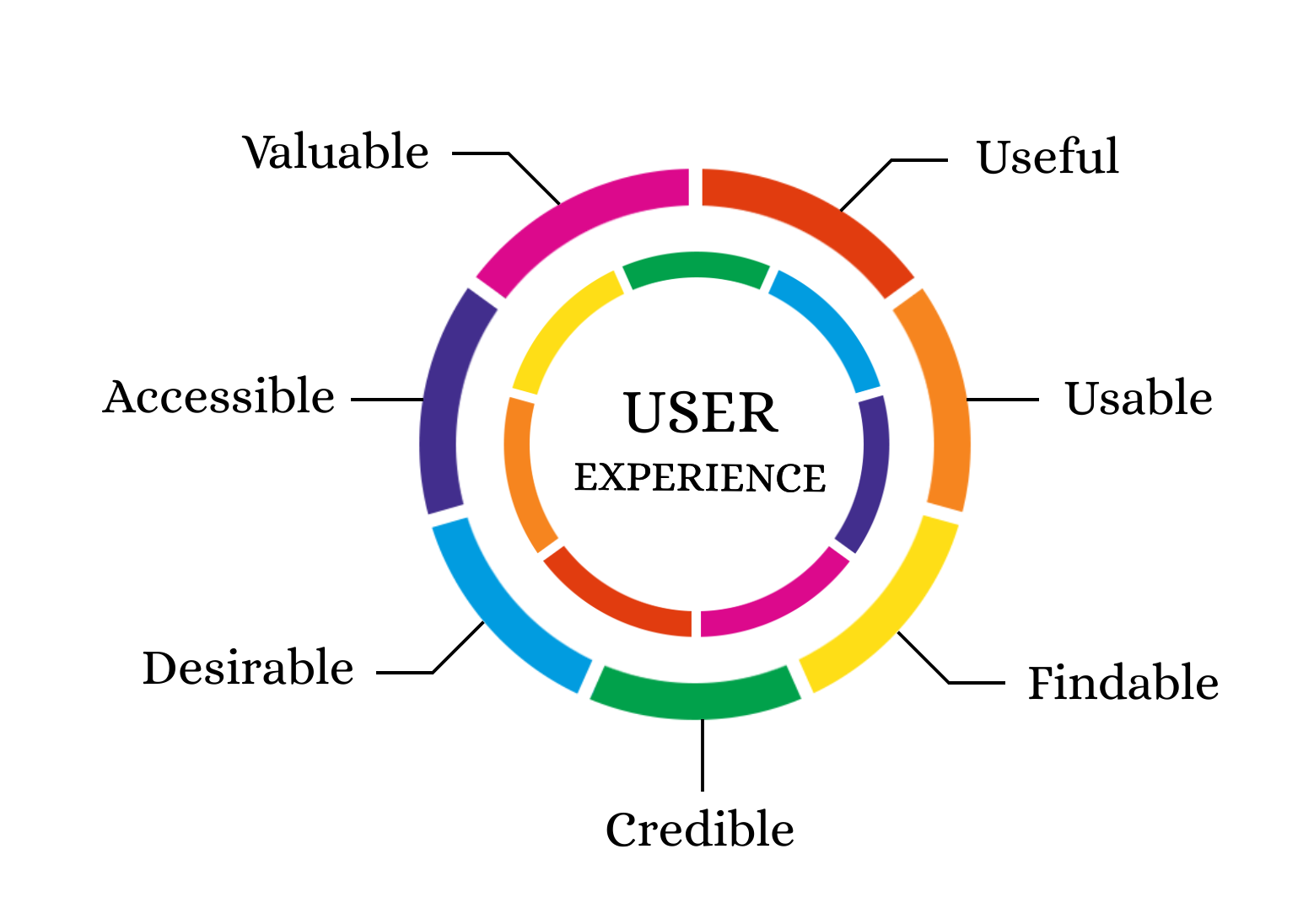
Why is UX Important?
UX is important for a client because it gives them easier access to your products. It is important for a business because happier clients are more likely to return to your business. According to this Inside Design post, “88% of online consumers are less likely to return to a site after a bad experience.”
Thinking specifically about your users’ experiences is also an initial step in helping as many users as possible succeed on your website. As the internet and computer technology have expanded, accessibility becomes easier to implement and more important than ever. Accessible UX will help everyone use your website better.
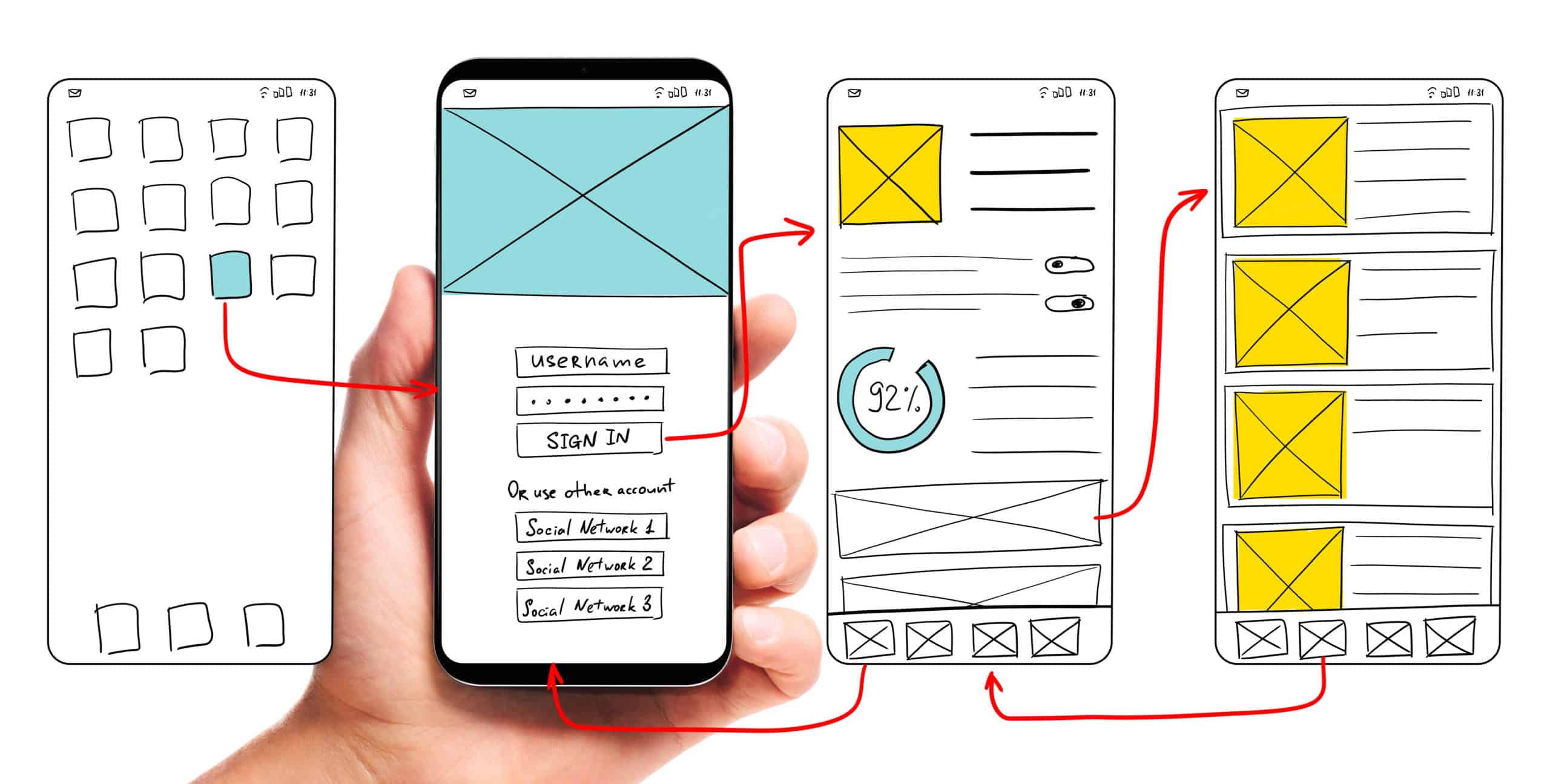
So how can my company find a way to use UX to the fullest?
The first step to any good user experience design is knowing and understanding your users. After you determine your users, or potential users, your most important task is researching how users interact with your website (or other products). What parts of your website make users love to visit the site and buy your products? What parts of your website are so challenging that users exit the page? How can you make the more challenging parts of your website better and easier for users? In your research about current users and website design, don’t forget to think about your content editors as well. How do your employees add content to the site? Does the backend need improvement as well?
After you have a good understanding of your current website’s strengths and weaknesses, you can move on to thinking about how to redesign your user experience and interface. Consistently refer back to your research to make sure that you are properly addressing user needs. Also, be sure to follow accessibility guidelines even if that did not come up in your specific research (Bluetext’s Aly Gumprich shares some great information about accessible design here!) While brand-new, complex designs might seem fun, it is important to make sure the website is functional and not just visually pleasing (although it should be both!).
Once you complete your redesign, make sure to test, test, test. The whole point of UX is to make sure your website is usable. Have as many people as possible test the website and provide feedback. As you get feedback, use it to make your website even more user-friendly.
A great example of how to maximize innovative, clean design while still ensuring a seamless customer experience is Bluetext’s redesign of the SonicWall website. This redesign highlighted creative elements that matched SonicWall’s brand and mission, but Bluetext also made sure that the website streamlined product information to boost customer satisfaction and make researching and buying products easier. Bluetext also took care of all the details that make a user experience truly great–like fast website speed and an easy-to-use navigation system.
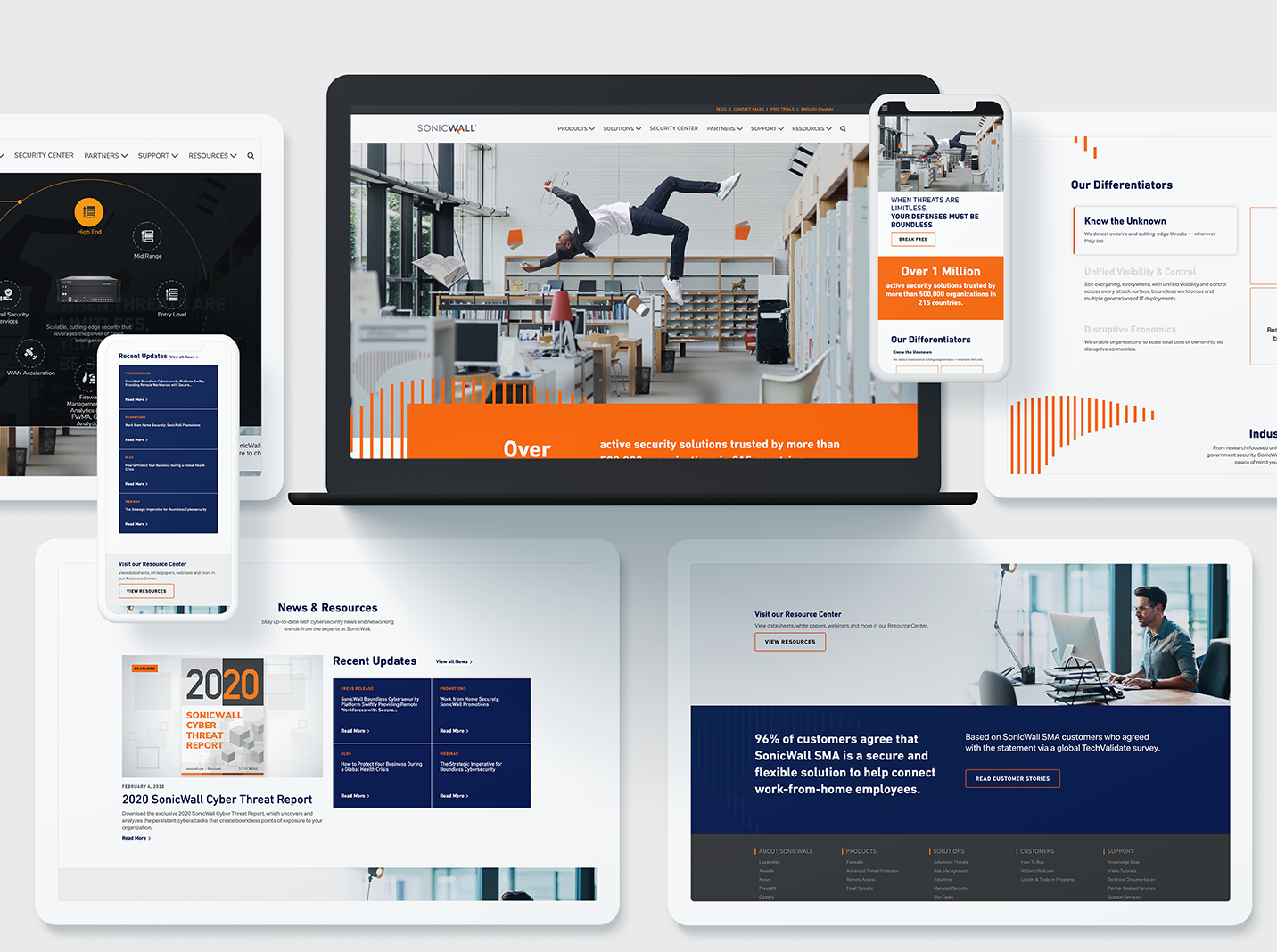
Whether you are updating a current website or completely redesigning, make sure you consider your user experience during every step of your design process to ensure the best site possible!
Need help? Contact Bluetext to get expert support in perfecting your user experience design.
What is ADA Compliance?
The Internet should be accessible for all, and Section 508 of the Rehabilitation Act of 1973, ensures that. Section 508 is designed to extend federal responsibilities to all individuals with disabilities, especially as the world moves towards more digitally based interactions. In 1998, the law was updated to include specific terminology over ‘electronic and information technology.’ Because the actual terms and conditions outlined in § 508 are ambiguous, the W3C created specific guidelines (Web Content Accessibility Guidelines or WCAG) to be able to run specific criterion tests on the suggested interpretation of the guidelines. Since January 2017, the current version, WCAG 2.0, has been accepted as the primary set of implementation guidelines.
This Is A Lot of Legal Jargon, Why Should You Care?
Every company should want as much reach for your digital content as possible, even if your target audience is not visually impaired or disabled. Not to mention, you could get sued if your website is not ADA compliant. If you’re federally funded, you must be compliant. For non-federally funded websites, it’s a gray area, but certainly a legal risk. Best practice is to be compliant and empower equal access and equal opportunity for all digital content. The Internet in particular can dramatically improve the lives of people with disabilities. It’s important to remember that accessibility is not just for the blind – it also accommodates auditory, motor, cognitive, and seizure disabilities. With about 15% of the global population living with some form of disability, it’s crucial as a reputable brand to want to make your website and digital content accessible for everyone. But it’s not always easy…
Accessibility Design
Accessibility should be considered early on in the design phase. It’s also important to remember that there’s no “end” to accessibility – it’s an evolving process. There’s also no ‘correct’ solution to accessibility. The WCAG 2.0 instead focuses on four principles of accessibility to base on for criterion testing:
- Perceivable
- Operable
- Understandable
- Robust
What do these principles mean and how can I design in style with them in mind?
Perceivable
This means web content is made available to the senses – sight, hearing, and/or touch.
Text Alternatives: You must provide text alternatives for any non-text content so that it can be changed into other forms people need, such as large print, braille, speech, symbols, or simpler language.
- All non-decorative images should have alternative text (aka ‘alt text’)
- Complex images should be described on a separate and linked page
- Form buttons and fields should be labeled
Pro tip: Use arrows so google can “read” hidden content.
↓

Time-Based Media:
- Audio content should have text transcripts
- Video content should have synchronized captions
- Any visual content in video should be described
Adaptable: Create content that can be presented in different ways (for example, simpler layout) without losing information or structure.
- Semantic markup is used for headings and text (e.g, <h1>, <ul>, <ol>, <strong>)
- Menus should be logical and intuitive from reading order alone
- Instructions do not rely on shape, size, location, or with auditory cues
Not only are these practices compliant, but they also provide tremendous SEO benefits! So why wouldn’t you implement an adaptable structure?
Distinguishable: Make it easier for users to see and hear content including separating foreground from background.
- Color is not used as the sole method of conveying content or distinguishing visual elements
- Contrast (http://webaim.org/resources/contrastchecker/)
- The text has a contrast ratio of 4.5:1 (AA)
- The large text has a contrast ratio of 3:1 (AA)
- Large text is defined as text larger than 18 points (~24px) or bold text larger 14 points (~19px)
- The page is readable and functional when text size is doubled (AA)
- Should be able to pause or change the volume of any audio longer than 3 seconds
Pro Tip: Test your color contrast and font size with this tool to ensure it’s compliant. Accessible design can still look modern and creative! https://www.getstark.co/
↓

Operable
This means the user interface components and navigation must be operable.
Keyboard Accessible: Make all functionality available from a keyboard
- All functionality is available using the keyboard unless the functionality cannot be accomplished in any known way using the keyboard
- Keyboard focus is never trapped
Enough Time: Provide users enough time to read and use content
- If a page or application has a time limit, the user is given options to turn off, adjust, or extend that time limit
- Automatically moving, blinking, updating, or scrolling content that lasts longer than 5 seconds can be paused, stopped, or hidden by the user.
Pro Tip: On auto-scroll content, include a play/pause button so it can be paused and the content can be consumed. If the content on auto-play doesn’t have a link or text, or really any content associated with it, then it does not need a pause/play button.
↓
Seizures: Do not design content in a way that is known to cause seizures
- No content flashes more than 3 times per second and do not contain too much red
Navigable: Provide ways to help users navigate, find content, and determine where they are
- A link is provided to skip navigation and other page elements that are repeated across web pages
- Pages have descriptive and informative page titles
- Navigation is logical and intuitive
- The purpose of each link can be determined by the link text and context alone. Links with the same text that go to different locations are readily distinguishable.
- Multiple ways to find other web pages of the sites (e.g., table of contents and search) (AA)
- Avoid duplicative page headings and label text (AA)
- Focus states are visible to the user (AA)
Understandable
It’s as simple as it sounds – content and interface need to be easy to understand. This should be a website goal for both disabled and abled users!
Readable: Make text content readable and understandable
- The language of the page is identified using the HTML lang attribute (e.g., <html lang=“en”>)
- The language of page content that is in a different language is identified using the lang attribute (e.g., <blockquote lang=”es”>) (AA)
Predictable: Make Web pages appear and operate in predictable ways
- When a page element receives focus or a user interacts with a form or control, it does not result in a substantial change to the page, creates a pop-up, or any other change that could confuse the user, unless the user is informed of the change ahead of time
- Navigation links do not change order (AA)
- Elements across multiple webpages are consistently identified (AA)
Input Assistance: Help users avoid and correct mistakes
- Required elements for a form are clearly labeled as such
- Form validation issues are provided in a quick and accessible manner
- Required interactive elements have sufficient labels and instructions
- Suggestions should be provided for fixing input errors (AA)
- Changes to legal or financial data can be confirmed or reversed (AA)
Robust
Content can be used reliably by a wide variety of user agents, including assistive technologies
Compatible: Maximize compatibility with current and future user agents
- Avoid HTML parsing errors (http://validator.w3.org)
- Markup is used in a way that facilitates accessibility (e.g., ARIA labels for custom interface components)
Remember, accessibility is more than just following these guidelines – it’s about equal access to digital content. You could be the next big example in your industry for accessibility, and maybe even be eligible for an award. And once your beautiful, new website is built, there are tools to help you ensure your site is accessible. Download WAVE to identify accessibility and Web Content Accessibility Guideline (WCAG) errors.
Not sure how to get started? Contact us at Bluetext – we’re here to help!
As the world has changed in the blink of an eye, so has the way we market to consumers. Now, more than ever, your website exists as BY FAR THE MOST IMPORTANT doorway to your brand and your brand experience. While stores stay shut, and face-to-face interaction is vastly limited, brands will rely on reaching their target audiences via their websites. Therefore, your website is mission-critical to your success.
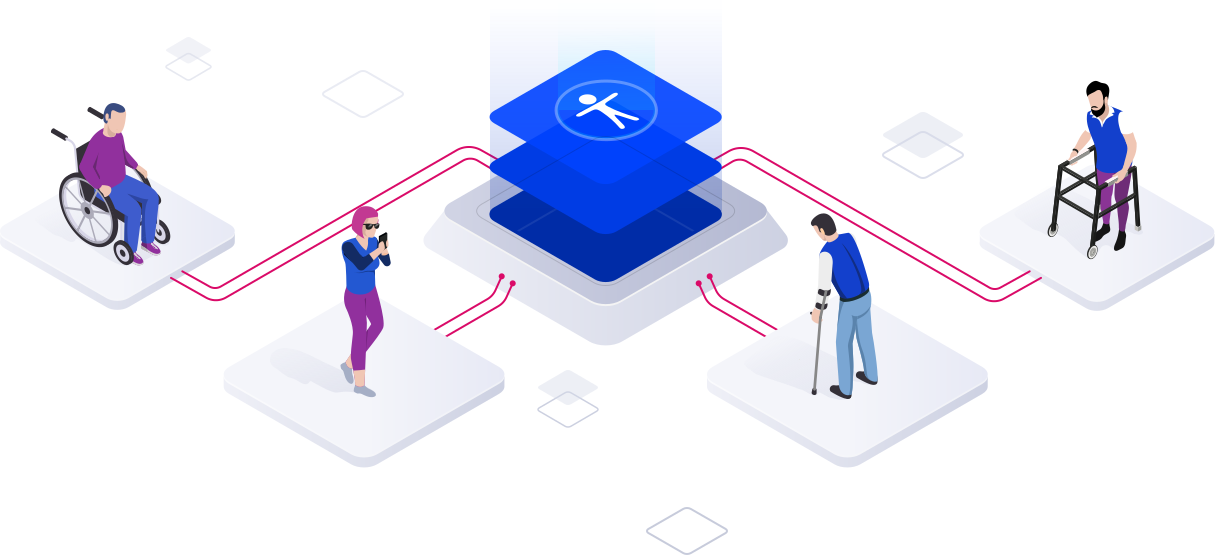
Website accessibility, or the practice of ensuring websites are available to everyone, regardless of their abilities, has always been a crucial part of website design and development. But as website accessibility gains momentum, meeting and exceeding accessibility standards has become even more top-of-mind. Website design and development agencies have begun to ingrain accessibility standards into their designs; meeting these requirements is no longer a “nice-to-have.”
Accessibility Requirements Are Legal Requirements
According to Dean Schuster, user experience design strategist, “In 2019, the United States Supreme Court upheld the notion that all sites conform to the W3C’s Web Content Accessibility Guidelines (WCAG) AA standard.” With these requirements now legal requirements, website design and development agencies have upped their game to ensure their websites are readily accessible to anyone who wants to browse.
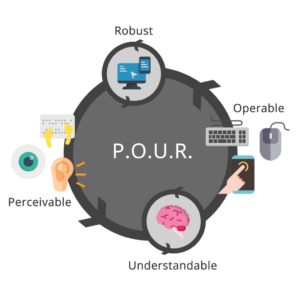
ADA compliance is now established legal precedent for U.S. websites. At a high level, accessibility regulations are broken out into four categories: Perceivable, Operable, Understandable, and Robust. In other words, all content must be “POUR”:
- Perceivable: Users must be able to perceive the information that is being presented. Perceivable guidelines include text alternatives for any non-text content, time-based media alternatives, adaptability, and distinguishability.
- Operable: Website components and navigation must be operable. These guidelines include keyboard accessibility, providing enough time for users to read and use content, providing navigable content, and providing input modalities.
- Understandable: Users must be able to understand the information and the operation of the user interface. Understandable guidelines include readability, predictability, and input assistance, or helping users avoid and correct mistakes.
- Robust: Content must be robust enough to be interpreted by a wide variety of users, including assistive technologies.
Ensuring your website is accessible can be overwhelming, which is where website design and development agencies come in. Building and maintaining an accessible website starts with the design and development process.
 Meeting Accessibility Standards Begins with Design
 Meeting Accessibility Standards Begins with Design
Ensuring website designs are accessible to all impacts the entire website design process; designers must think long and hard about the limitations of visual formats. Often, we deem the skills we learn within a certain context as “normal.” Increasingly stringent accessibility standards will require designers to step outside of their “normal” and rethink each design through the lens of a website user who may not be as abled as they are.
The transition from professional website designer to accessibility expert is well underway and this transition will only accelerate as 2020 progresses.
Website Development Impacts Accessibility at a Foundational Level
Website designers are not the only ones affected by stricter accessibility regulations – website developers will also be impacted at a foundational level. Developers must constantly work to maintain knowledge of the continuously evolving standards and best practices, accounting for practical use-cases within the disabled community while using caution when approaching newer programmatic technologies.
Website designers and developers who stay ahead of this trend and embrace website accessibility are positioned to deliver more accessible products. As standards and best practices continue to evolve, website design and development agencies must continue to meet the criteria necessary to ensure that their websites are accessible to everyone on the internet.
Use Your Online Presence to Empower the Disabled Community
When translating your business to the digital world, a lot of thought goes into making sure your business is represented correctly; between your corporate visual identity and the messaging that makes your business unique, each of these foundational building blocks come together to create a unified online presence. Your online presence should be accessible to everyone, including the 18.7% of Americans with a disability. Supporting these users and ensuring your website offerings are accessible to everyone on the internet should always be a top priority, regardless of the legal ramifications.
To learn more about our experience pertaining to accessibility, check out our case study featuring our work with Level Access, the leading provider of accessibility solutions and software.